

Presets
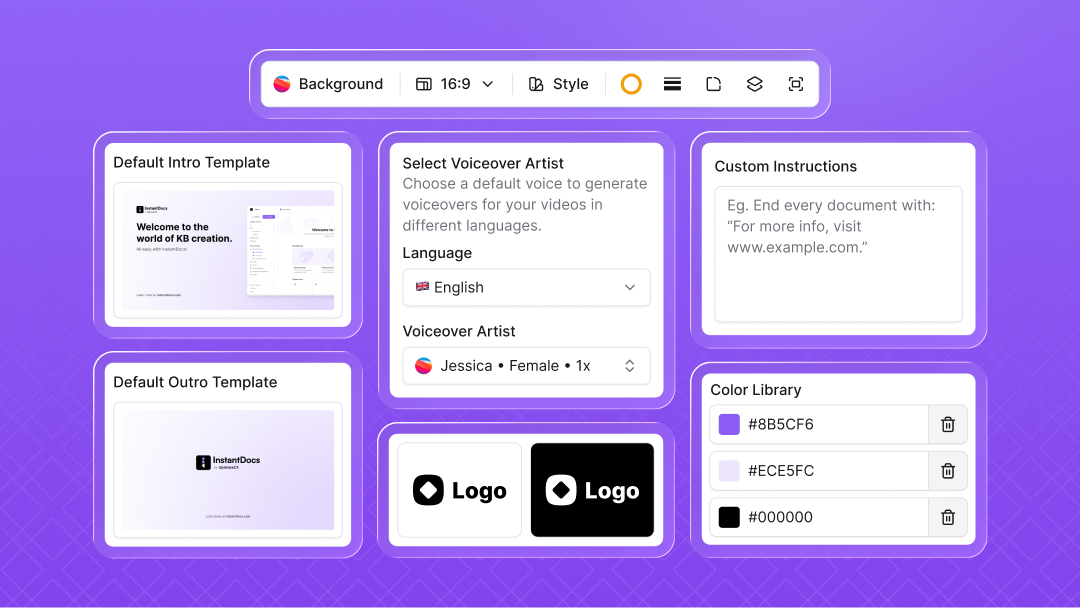
This week we’ve introduced Presets—so every doc and video your team creates is automatically on-brand and consistent, no matter who makes it.
For Docs
Set default snapshot type: image or GIF
Define visual styling for snapshots: background, padding, shadow, and more
For Videos
Choose an AI voiceover artist for every language
Set default intro & outro templates
Apply video styling: background, padding, etc.
Add your logo in both dark and light mode
Apply your brand colors across videos
Minor Update
We’ve added support for defining your own URL structure for docs and collections.
Rewrite InstantDocs URLs to match your preferred structure
Useful when switching from another platform with a different format (e.g. help/d/en-us/<slug> instead of /doc/<slug>)
Once defined, all your docs will open with the custom URL pattern you set
Doc Verification
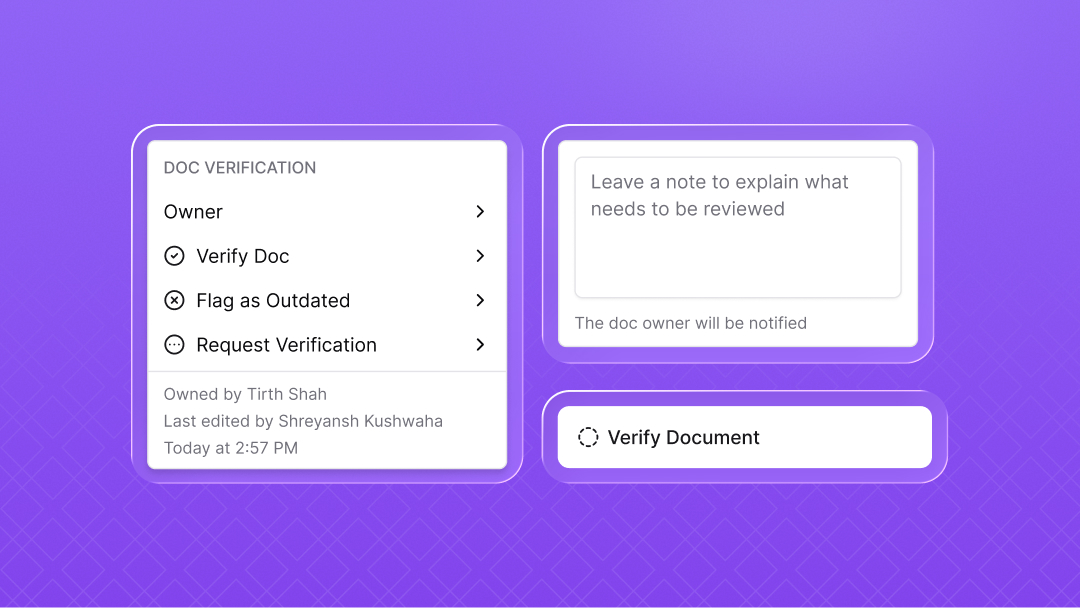
This week we’ve introduced a new Doc Verification process to help teams keep their knowledge accurate and up to date.
Request verification from someone in your workspace for any doc
Reviewers can verify or leave comments
Mark any doc as outdated when it’s no longer valid
Set a verification expiry date so docs automatically expire after a set time
View all docs by verification status directly in the Knowledge Hub
Major Updates
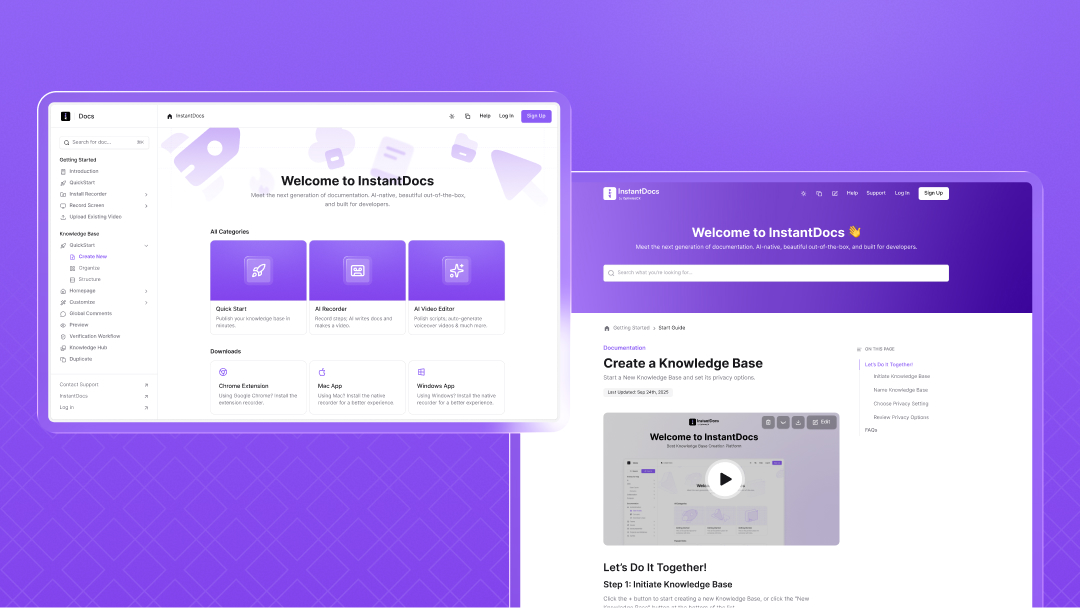
This week we’ve added more flexibility to how you organize, access, and manage your knowledge base with new layouts, access levels, and a central knowledge hub.
Layouts
Added support for two different layouts for your knowledge base: Help Center and Documentation
Choose the layout that best fits your preference or use case
Guest Access
Introduced a new Guest access level at the KB level
Perfect if your public KB is invite-only but you don’t want to add users to the full workspace (like with Viewer access)
Knowledge Hub
Added a new Knowledge Hub to manage all your knowledge in one central place
Includes powerful filters to quickly find what you need
Custom Landing Page
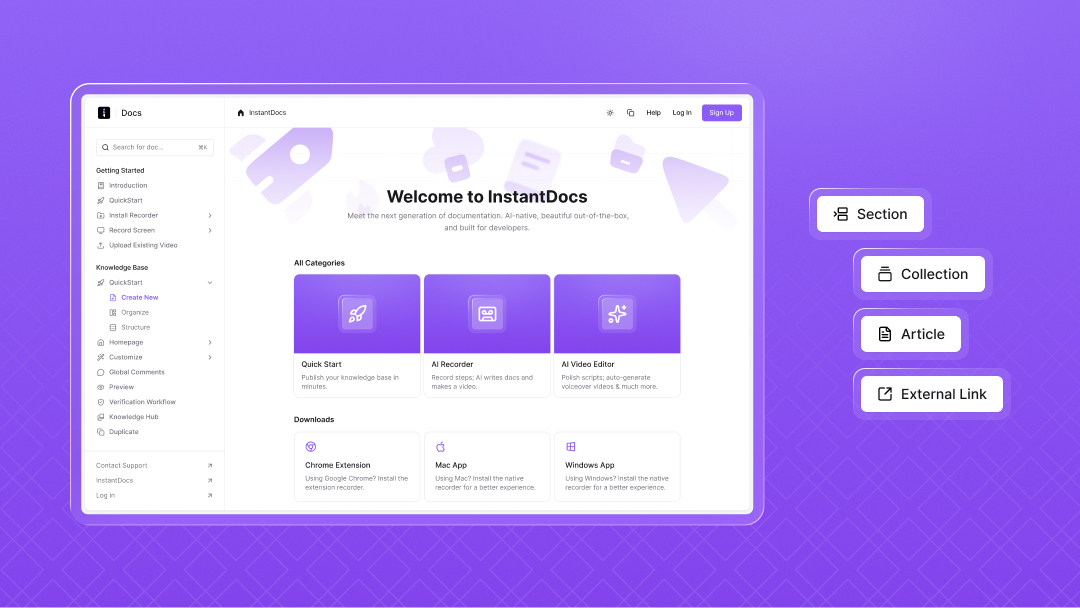
This week we’ve added more flexibility to your documentation homepage with Custom Landing Pages.
Create custom sections on the homepage
Add cards in each section pointing to any URL or doc
Cards are now fully customizable to match your content and style
Choose between default cards and feature cards
Customize columns per section to control how many cards appear in each row
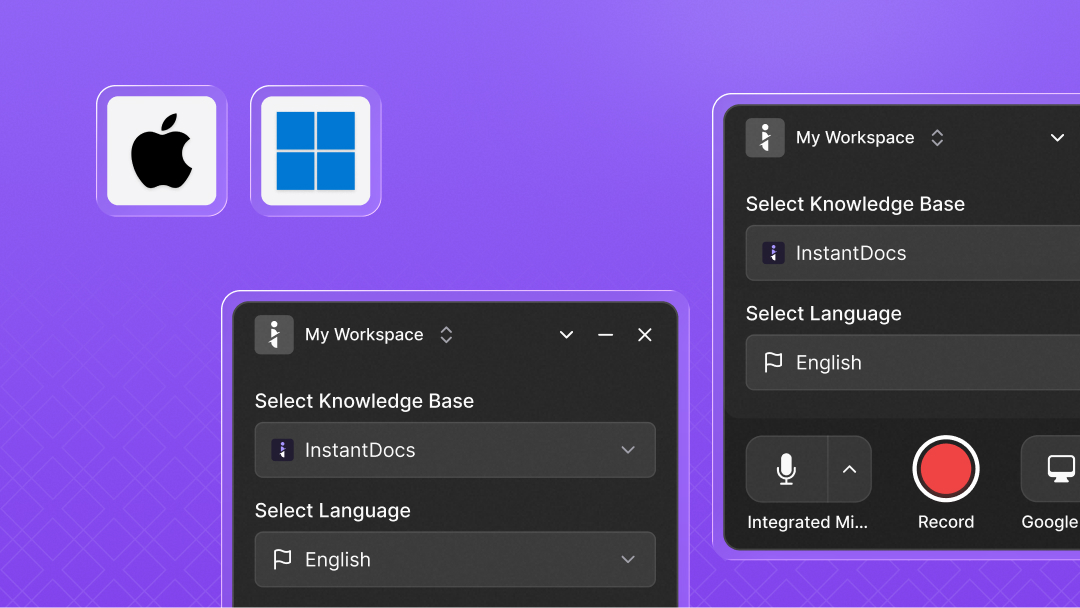
Mac & Windows App
We’ve launched the InstantDocs desktop app for Mac and Windows — bringing a 10x better recording experience than the browser extension.
Record any window, not just the browser
Zooms and click effects now work even in full-screen or non-browser recordings
Floating controls for pause, restart, and delete during recording (without appearing in the final video)
Smoother, faster, and more reliable recording experience overall
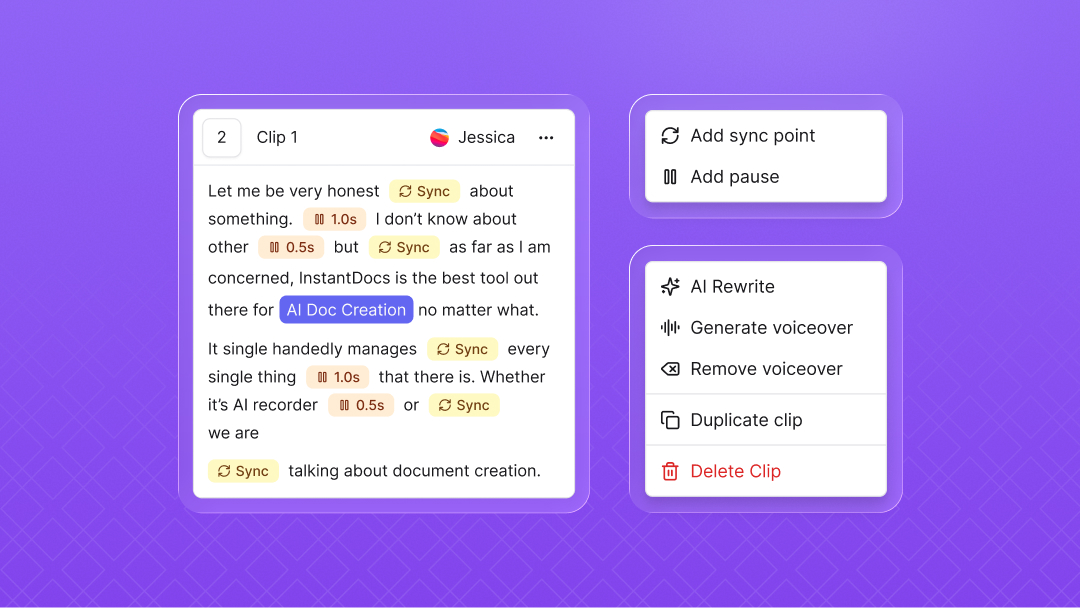
New Workflow for Voiceover, Scripting & Syncing
This week we’ve introduced a new workflow to make creating and syncing voiceovers much smoother.
Write the full script for your clip in one editor
Add pauses wherever needed directly in the script
Set manual sync points in addition to AI auto-sync for more precise timing
Apply the same voice across all clips in a project with a click
Use the new AI Script Rewriter to polish your script while preserving sync markers and pauses
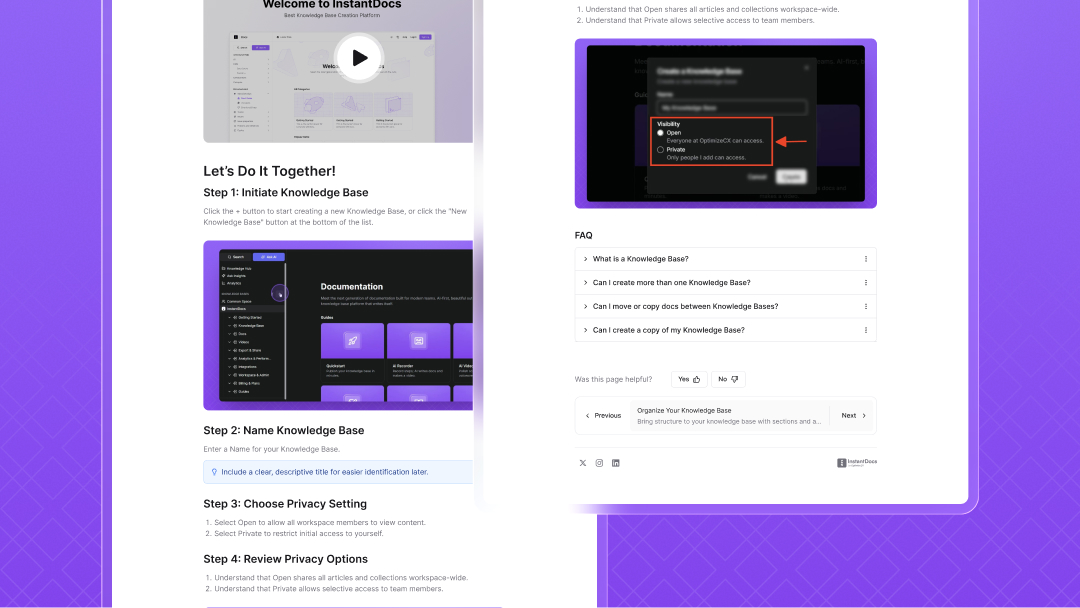
Rich Blocks in Doc Editor
We’ve expanded the doc editor with new Rich Blocks to make your documentation more interactive and engaging.
Accordions → Collapse and expand content for easier reading
Update block → Highlight recent changes or updates
Step block → Create step-by-step instructions
Cards → Display content in a clean, visual format
Callouts → Emphasize key information
Button → Add actionable CTAs directly inside docs
Professional ElevenLabs Voices
This week we’ve integrated professional-grade voices from 11Labs into InstantDocs.
High-quality, natural-sounding voices
Available in multiple genders, tones, and accents
Supports 25+ languages for global reach
Perfect for customer-facing demos, tutorials, and training content
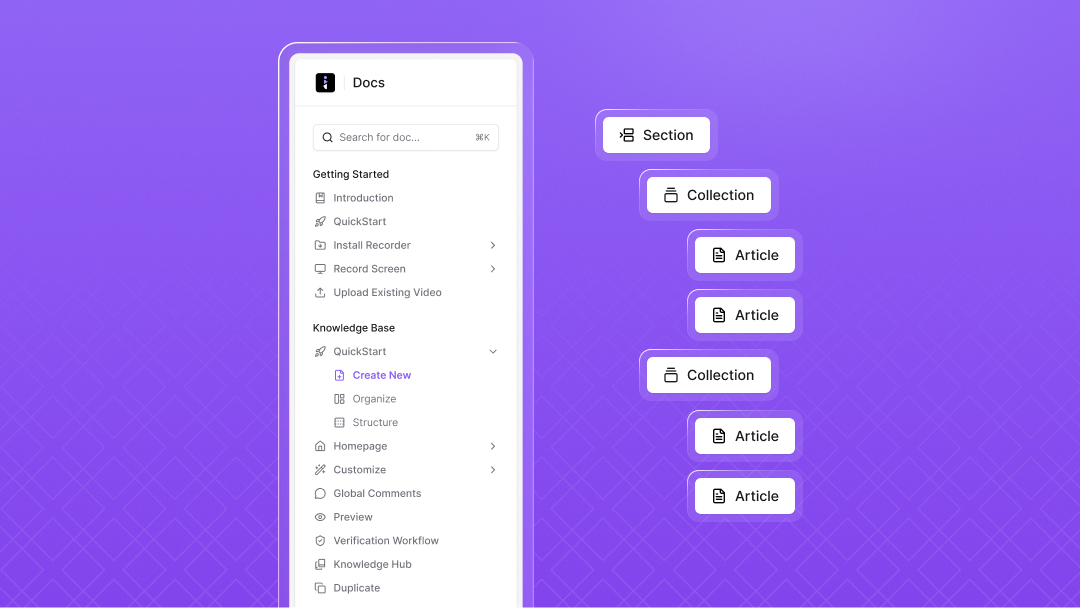
Sections
We’ve added a new way to organize your knowledge base with Sections.
Until now, organization was limited to Collections and Docs
With Sections, you can now add an extra layer at the root level
Makes it easier to categorize content and improve navigation in your public KB
New hierarchy:
Section → Collection → Doc
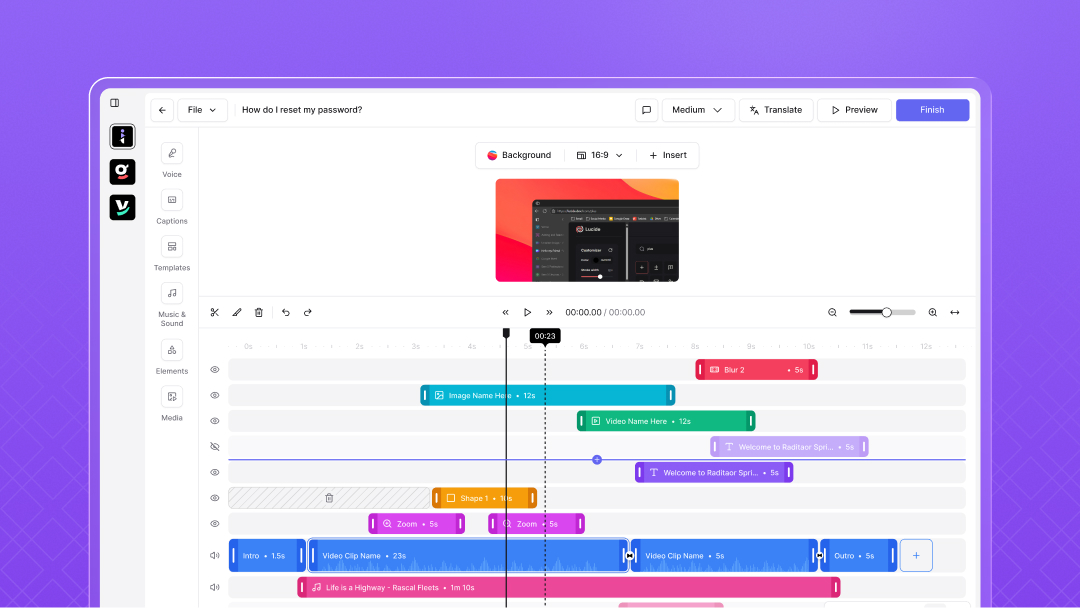
Video Editor V2.0
This week we’ve rolled out a brand new version of the Video Editor with a refreshed look and powerful updates.
Redesigned UI with a modern, sleek look
Added multiple timeline view for easier editing
Introduced intro & outro templates to quickly create polished videos
Improved zoom animation for better & smoother viewing experience
Moved editing panel above video for a more intuitive workflow
Added support for multiple clips in a single project
Added more backgrounds for videos
Added a way to trim videos
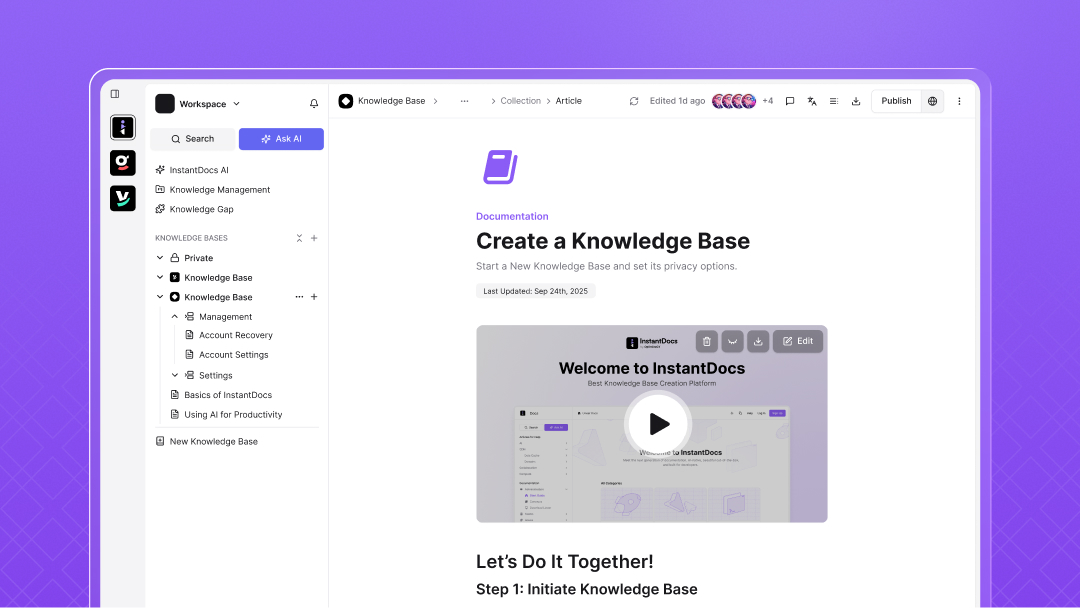
Dashboard & Workflow Redesign
This week we’ve introduced a redesigned dashboard and workflow with a simpler way to build and organize your knowledge base.
Added a new sidebar to create, edit, and manage content in one place
Introduced Collections & Docs for clearer knowledge base organization
Enabled drag & drop to easily rearrange content
Added breadcrumbs for better top-level navigation
Improved editor with a Notion-like writing experience
Added support for icons & covers on docs and collections
Introduced table of contents view while editing
Chrome Extension 5.0.2
This week we’ve rolled out a brand new version of our Chrome extension with a refreshed look and updates.
Introduced a modern UI with a cleaner, sleeker design
Added mic selection to choose from all available microphones
Enabled workspace switching to pick the right knowledge base before recording
